Table of Contents
Shopify vs WordPress: Complete 2026 Comparison Guide for Your Online Store
- Apex Solutions

When it comes to Shopify vs. WordPress, it isn’t really about comparing a checklist of features; it’s about choosing between two fundamentally different ways of running a store: a fully managed, ready-made system versus a self-managed, build it your way framework. Here’s a detailed Shopify vs. WordPress breakdown across every factor that matters
Shopify vs WordPress: The Fundamental Difference
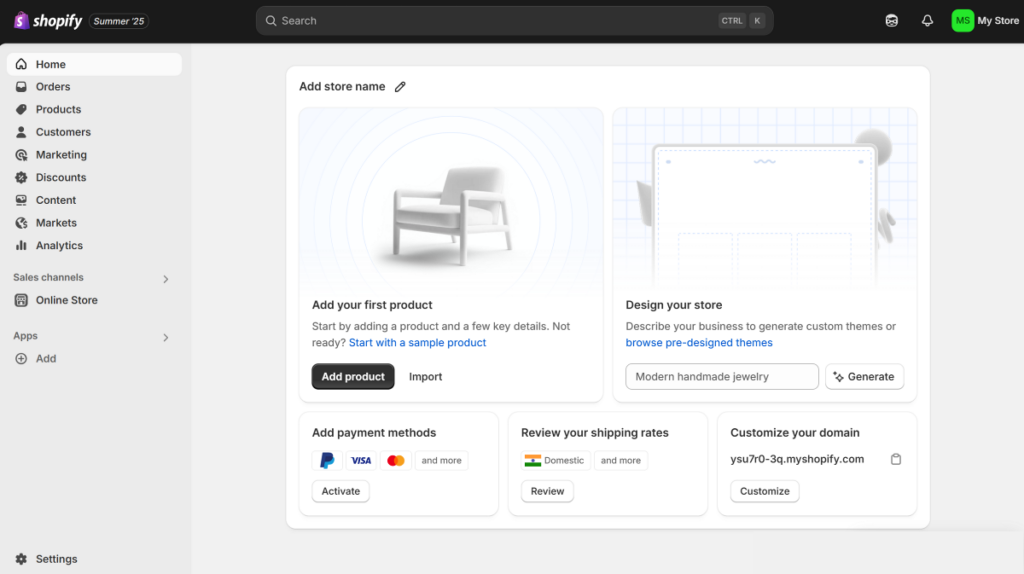
Shopify:
- Runs as a SaaS platform built solely around delivering a complete, managed store-building environment
- Hosting, security, and performance are taken care of automatically as part of the plan
- Built with one single purpose: selling online, resulting in a tightly connected ecosystem
- Product info, orders, and customer data move smoothly between features made by one single company
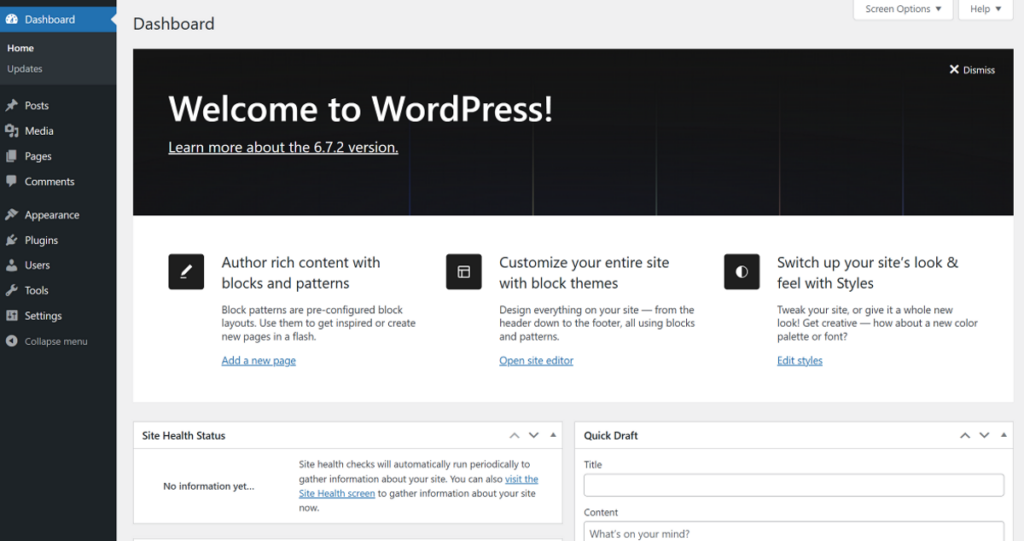
WordPress:
- At its heart, it’s an open-source Content Management System (CMS)
- Widely known as a publishing/content tool that turns into an online store via plugins
- Every piece hosting, security patches, and the ecommerce plugin itself is something you select and manage on your own
- Offers unmatched flexibility and control, but puts you in the role of system admin, not just store owner
Shopify vs WordPress: The Approach to eCommerce
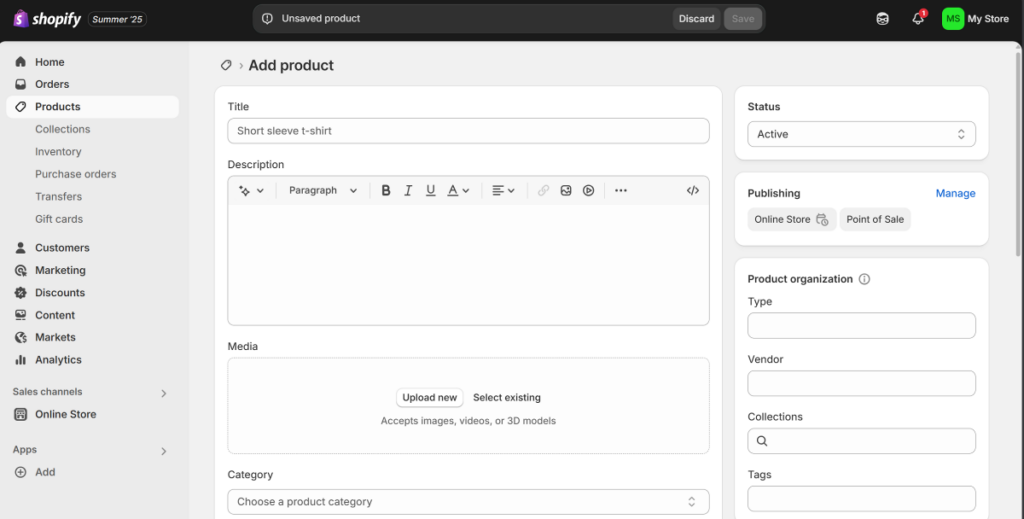
Shopify: Built in eCommerce:
- Selling isn’t an add-on feature here it’s the core of the entire platform
- Every user, no matter the plan, works on the exact same integrated system for orders, products, and payments
- Built-in tools like inventory tracking, Shopify Payments, and shipping labels function as one connected unit
- Downside: there’s no way to replace Shopify’s core engine with an alternative one
WordPress: Choose Your Own eCommerce Plugin
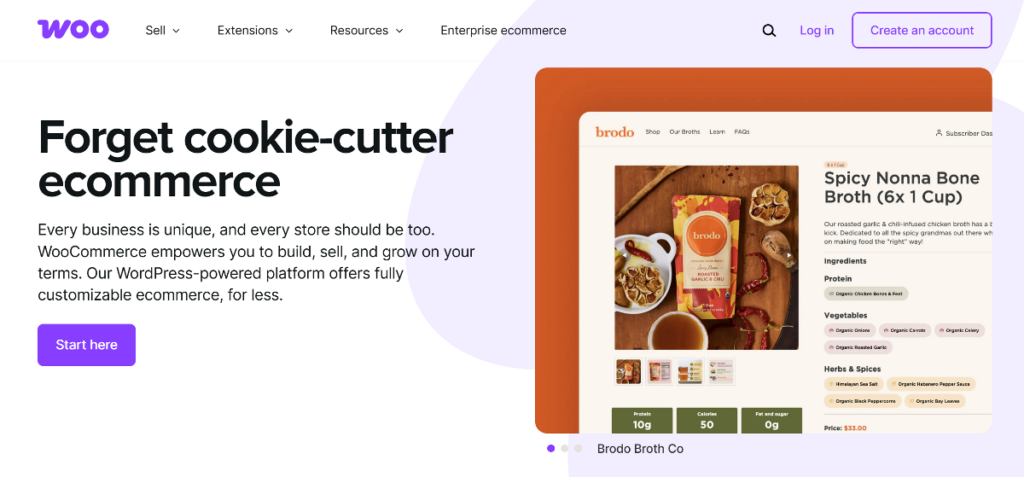
- On its own, WordPress has no e-commerce functionality at all; a plugin is required
- WooCommerce is the most widely used, all-purpose plugin; supports physical items, digital goods, subscriptions, and bookings; has the largest ecosystem and integration options; and is the closest open-source rival to Shopify
- Easy Digital Downloads (EDD): purpose-built for digital-only products such as software, ebooks, and music
- SureCart manages payments, subscriptions, and taxes on separate infrastructure for a smoother, faster checkout
- Ecwid is an outside ecommerce engine that connects to WordPress, ideal for selling across several channels from a single catalog
- WP Simple Pay: a simple Stripe payment-form tool, skipping cart and product-management complexity
- Paid Membership Pro built around selling access (memberships, courses, communities) rather than goods
- BigCommerce for WordPress pairs BigCommerce’s SaaS backend with the front-end freedom of WordPress
Shopify vs WordPress: Ease of Use
Shopify:
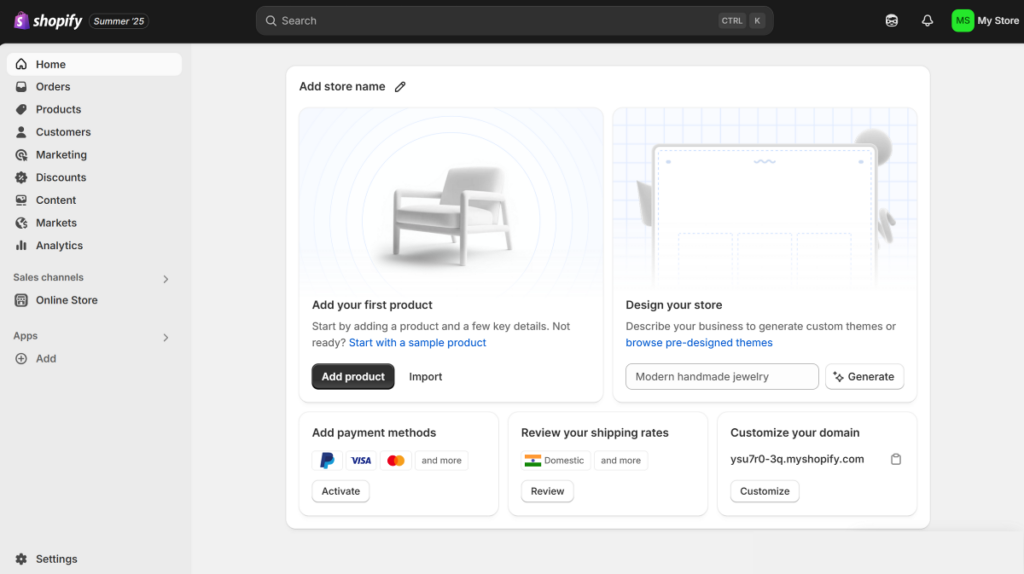
- Every section of the dashboard is built purely for running a store: orders, products, customers, and analytics
- No distracting media libraries or comment sections to sort through
- All daily tasks adding items, tracking stock, fulfilling orders happen inside one steady interface
- Quicker to learn, easier to manage day to day
WordPress:
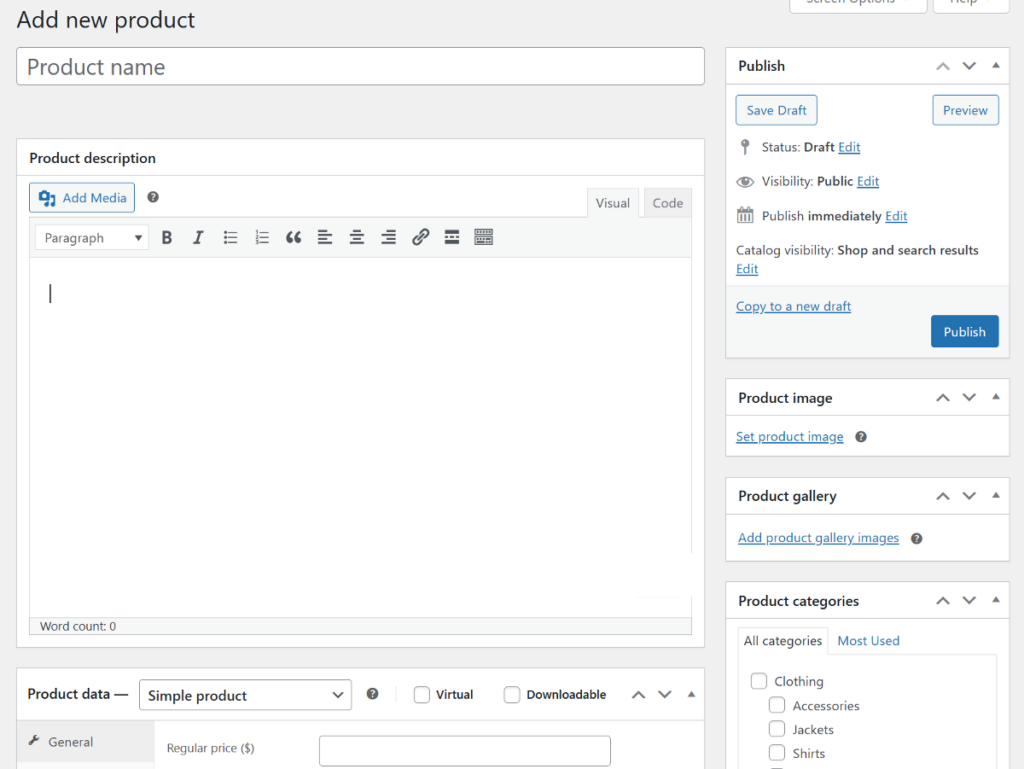
- You land on the general WordPress dashboard first ecommerce sits on top as an added layer
- How easy it feels depends completely on which plugin you’ve installed
- WooCommerce mixes the newer block-based screens with older-style classic settings pages
- EDD feels more focused and simpler thanks to its narrow scope
- Hosted tools like SureCart/BigCommerce give you clean, modern management screens
- In short: WordPress hands you the choice, but there’s no single, consistent experience across the board
Shopify vs WordPress: Design & Customization
Shopify:
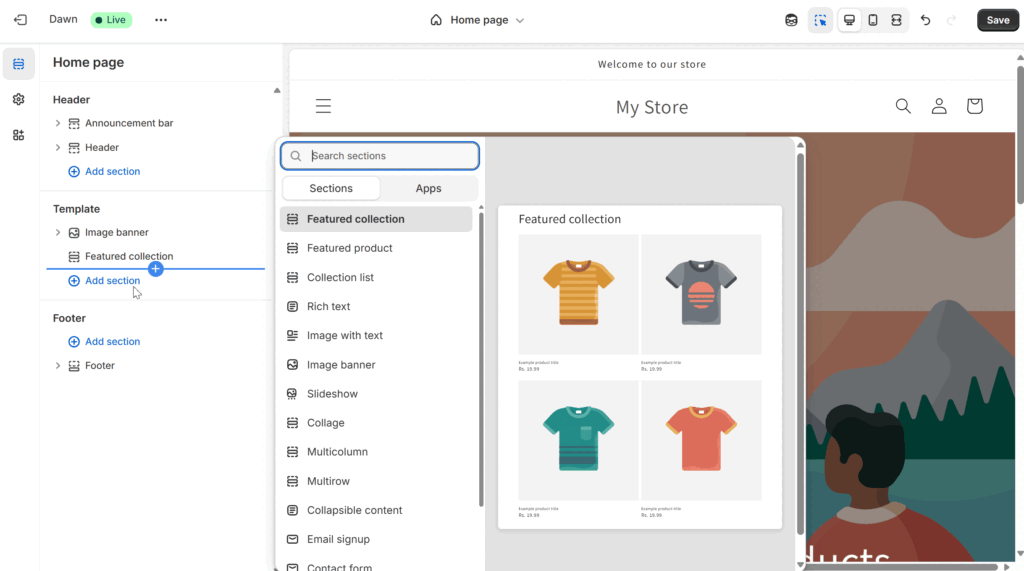
- Customization revolves around professionally built themes plus a drag-and-edit, section-based builder
- You can adjust text, images, colors, fonts, and buttons — all within limits set by the theme
- Ideal for anyone without design skills who wants a clean, put-together storefront quickly
- Going beyond theme limits means editing code directly or bringing in a developer
WordPress:
- Customization here means real freedom, at both the visual and code level
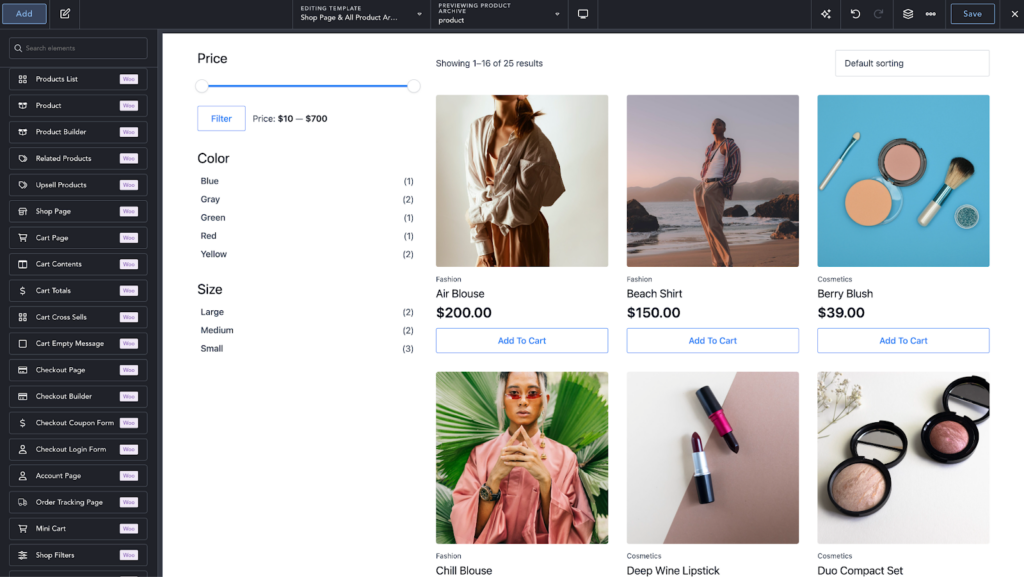
- Works with third-party builders like Elementor, Divi, or Breakdance for true blank-canvas, drag-and-drop design
- Fine-grained control over spacing, layout, and styling for every single element
- Most e-commerce plugins, WooCommerce included, let you fully swap out default templates (product pages, cart, etc.)
- Makes it possible to build a genuinely one-of-a-kind storefront
Shopify vs WordPress: Content Management & SEO
Shopify:
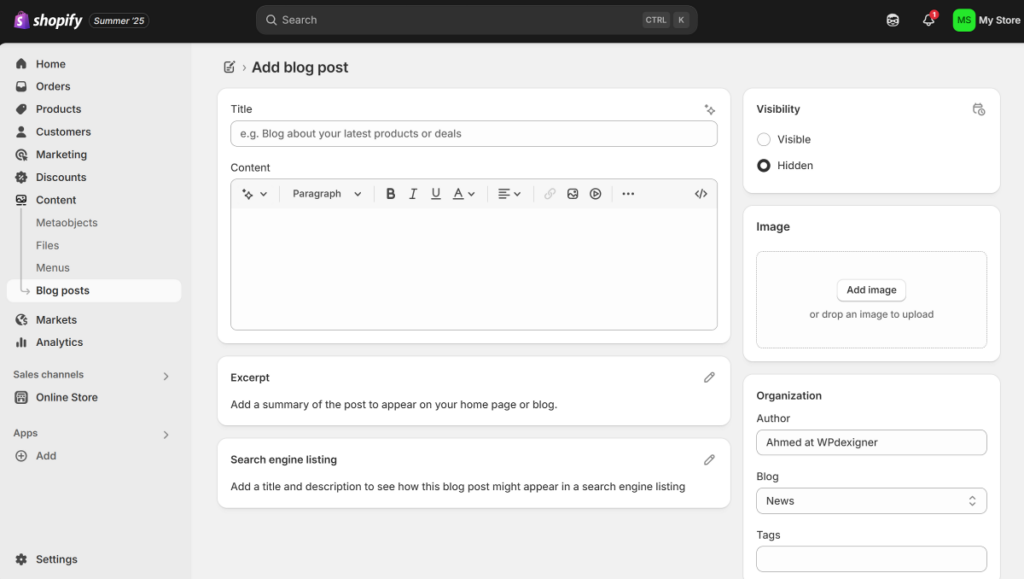
- Blogging tools work but stay basic with no deep category systems or built-in revision history
- Content is treated as a support feature, secondary to selling
- Covers SEO fundamentals, fine editable meta titles, descriptions, and clean URLs
- Deeper SEO work (schema markup, sitemap edits) needs external apps such as StoreSEO or Tapita SEO
- URL structure is fixed: /products/ and /collections/ can’t be renamed or removed
WordPress:
- Content management is where WordPress truly shines full freedom with custom post types and taxonomies
- Total say over URL structure and content hierarchy, ideal for building topical authority
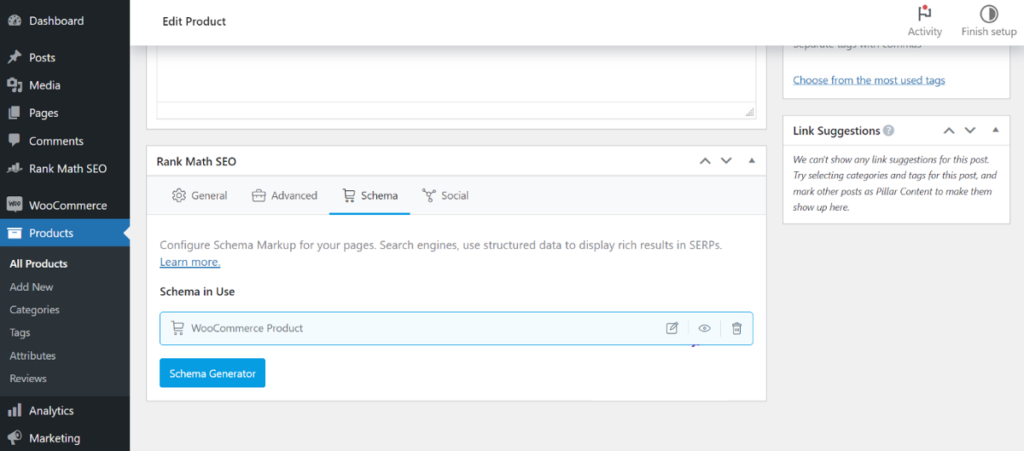
- Boosted further by plugins like Rank Math and Yoast SEO schema, on-page checks, sitemap control
- Usually the stronger pick for stores built around heavy content and SEO strategy
Shopify vs WordPress: Performance
Shopify:
- Fully hosted — stores sit on an already-optimized server by default
- CDN, caching, and code minification all run automatically in the background
- Delivers fast, dependable speed for most stores right away
- Downside: no access to choose server location or fine-tune backend performance
- Apps such as Hyperspeed or Booster can push app-level performance further
- Scales automatically without extra effort
WordPress:
- Self-hosted speed depends on your hosting quality, how well-coded your theme/plugins are, and your own tuning
- Needs more hands-on effort, but in return gives far more control: pick your server location, plug in any CDN, add advanced caching
- Can scale almost without limit as long as the right infrastructure is in place
Shopify vs WordPress: Pricing
Shopify:
- Fixed monthly subscription covering hosting, store management, and design tools
Plan | Price (Annual) | Third-Party Transaction Fee |
Basic | $39/month | 2.0% |
Shopify | $105/month | 1.0% |
Advanced | $399/month | 0.6% |
Plus | From $2,300/month | 0.2% |
- Zero extra platform fee with Shopify Payments; other gateways bring the transaction fees shown above
- App Store subscriptions can stack on top of the base plan cost
WordPress:
- Costs are made up of separate pieces and vary a lot
- Core software plus plugins like WooCommerce cost nothing to install — but that “free” only applies to the software
- Hosting is a separate, required expense
- Premium plugins are usually needed to match Shopify’s built-in extras (shipping tools, subscriptions, abandoned-cart recovery), and these expenses build up
Shopify vs WordPress: Customer Support & Reviews
Shopify:
- 24/7 in-house live chat; phone support included on the Plus plan
- Rated 4.2/5 on G2, 4.5/5 on Capterra
- Only 1.3/5 on Trustpilot (“Bad”) — frequent complaints about support quality, surprise charges, and account issues
- Users like its ease of use, clean dashboard, and app ecosystem, especially newcomers
WordPress:
- No single support channel, community forums, or individual plugin/theme support, plus a market of freelancers and agencies
- Rated 4.4/5 on G2, 4.6/5 on Capterra
- 1.9/5 on Trustpilot: “Poor” reflects the challenges of managing everything yourself
- Praised for flexibility, deep customization, and full ownership of code/data
- Criticized for a tough learning curve and constant maintenance responsibility
Shopify vs WordPress: Market Share
Shopify:
- Powers over 5.8 million live sites (BuiltWith)
- Holds 6.7% share among sites with a known CMS (W3Techs)
WordPress:
- Powers over 31.8 million live sites (BuiltWith)
- Holds 60.8% share among sites with a known CMS (W3Techs)
- Roughly nine WordPress sites exist for every one Shopify site
Shopify vs WordPress: Final Recommendation
Shopify:
Go with Shopify if you want a fast, all-in-one store experience with everything managed for you no backend headaches.
Go with WordPress if your business depends on content, needs deep customization, or needs features beyond a typical online store you get full control, along with full responsibility.
Feature Category | Shopify | WordPress |
Platform Type | Hosted SaaS | Self-hosted CMS |
eCommerce Model | Built-in & unified | Plugin-based (choice required) |
Ease of Use | ⭐⭐⭐⭐⭐ | ⭐⭐⭐ |
Customization | ⭐⭐ | ⭐⭐⭐⭐⭐ |
Content & SEO | ⭐⭐⭐ | ⭐⭐⭐⭐⭐ |
Support | 24/7 chat | Community & third-party |
Best For | Beginners, quick setup | Customization, content-heavy sites |
Frequently Asked Questions: Shopify vs WordPress
- What are the disadvantages of Shopify?
It’s a closed platform, so deep customization of core features or checkout isn’t possible on standard plans. Skipping Shopify Payments adds transaction fees, and adding more functionality often means stacking paid apps. - Is Shopify or WordPress better for dropshipping?
Shopify suits beginners better thanks to ready-made dropshipping apps. WordPress gives more control, flexibility, and possibly lower costs over time, but demands more technical effort. - Does Shopify work well with WordPress?
Yes — WordPress can run on a subfolder for content while Shopify manages the ecommerce side, products, and transactions. - Is SEO better on WordPress or Shopify?
Shopify covers the SEO basics well out of the box. WordPress wins on control, with full URL freedom and top-tier SEO plugins — better suited to content-driven stores. - What is the best eCommerce platform overall?
Shopify suits those who want an easy, all-in-one setup. WordPress suits those who want full control, customization, and strong content tools. - Is WordPress more expensive than Shopify?
A basic WordPress site can cost less. But a fully built store — good hosting, premium themes, several paid plugins — can end up costing more than Shopify. WordPress costs shift around; Shopify’s stay predictable. - How much does WordPress cost?
The software itself is free, but expect $10–$50+/month for hosting, roughly $15/year for a domain, and likely extra for premium themes/plugins.